
01
Product Finder & Research
Find products, compare marketplaces and shortlist useful opportunities from one visual workspace.
Wireless headphonesSearch


$25.99
Shortlist

$18.50
Shortlist

$32.00
Shortlist
Research products, prepare listings, monitor supplier changes, track orders and understand profit from one consistent product experience.
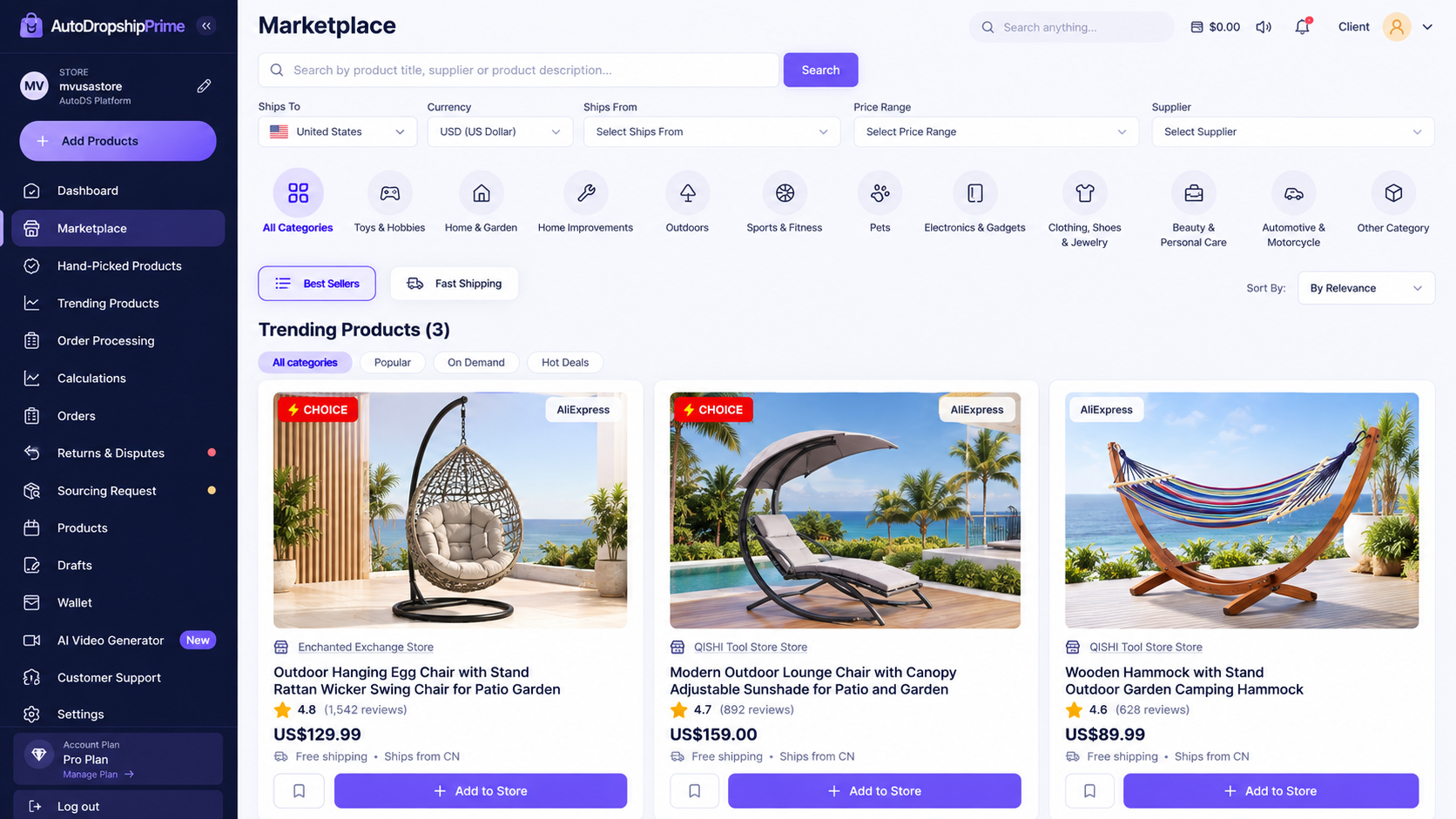
Research and import from eBay, AliExpress, Etsy and Amazon before moving products into the connected workflow.
A denser bento-style overview keeps every important module visible without wasted space, from product research and listing prep to monitoring, Sheets and profit.
Find products, compare marketplaces and shortlist useful opportunities from one visual workspace.
Wireless headphonesSearchPrepare cleaner titles, descriptions, pricing and product details before publishing.

Keep every order organized from receipt through fulfilment and status updates.

Keep shipment progress and return status visible without switching tools.


Keep order, price, status and profit records organized in one spreadsheet flow.
 Orders & profit sheet
Spot supplier stock changes quickly and keep attention states visible.

Compare supplier movement with your selling price and margin context at a glance.

Review sales, costs, fees and profit trends from one compact reporting view.

Orders, buyer details, supplier order work and processing status live in the same product language instead of feeling like a separate back-office tool.
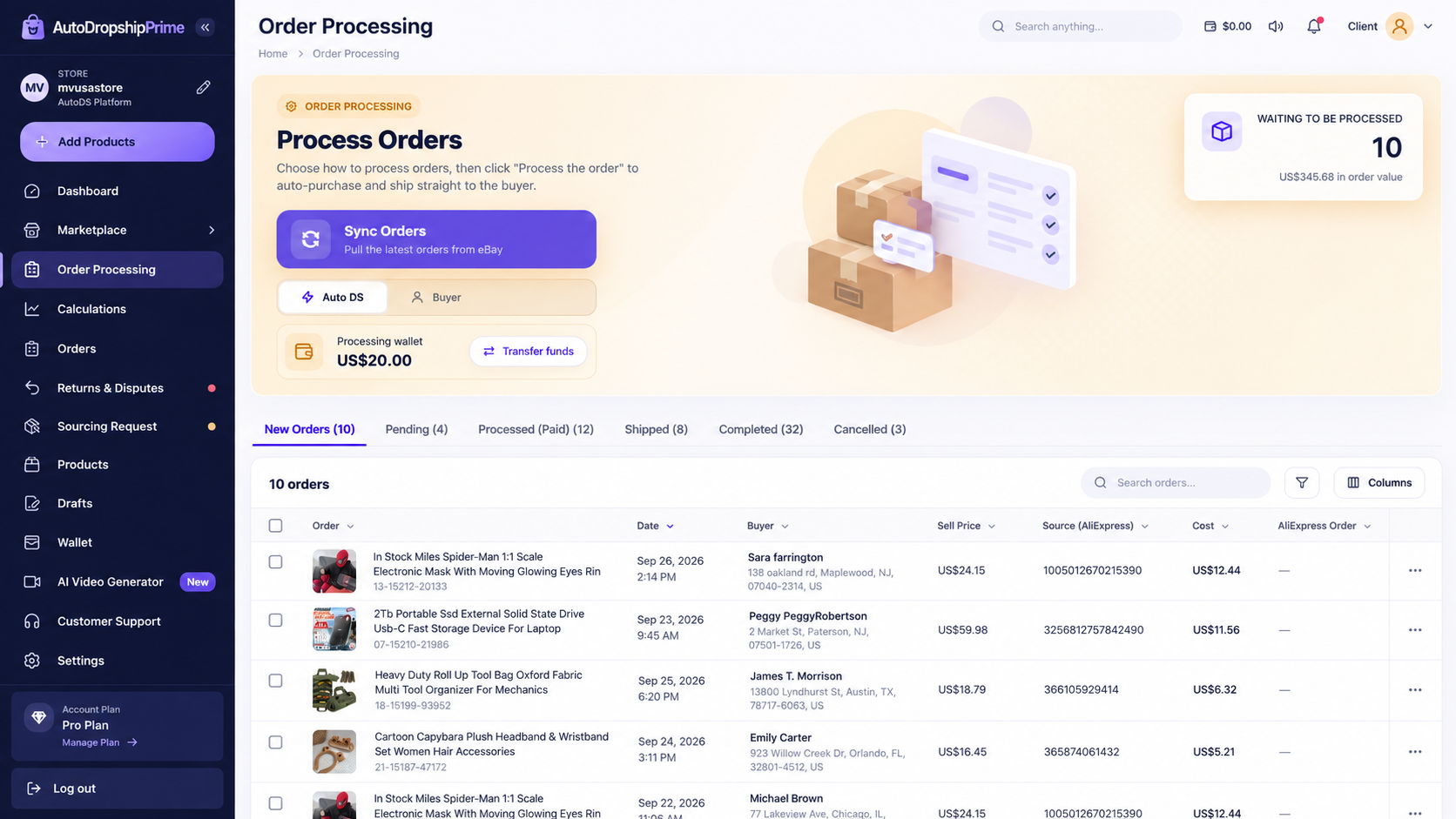
Each part of AutoDropshipPrime uses the same hierarchy and status language so sellers do not have to relearn the product every time they switch tasks.
Compare product, supplier, source-price and margin context before listing.
Keep supplier changes visible with the product and margin context required to review them.
Review processing state, buyer details and supplier order context in one workflow.
Keep order economics organized for profit review and spreadsheet-ready records.
The same visual language follows the seller from research through listings, monitoring, orders, Google Sheets and profit review.
The product stays scannable through varied bento modules instead of repeating the same generic card everywhere.
 Wallet management
Add funds, review your available balance, keep order deductions visible and track wallet activity from one clear payment workspace.


Top up your wallet using your preferred method.
See the balance ready for order processing.
Order costs are deducted from wallet funds.

Review top-ups, payments and refunds.
Choose a preferred payment method and top up your available balance.


Keep your available wallet funds and processed order totals easy to review.


When an order is processed, the required amount can be reflected against the available wallet balance.
Review wallet top-ups, order payments and refunds in a compact activity view.
Use the calculation workspace to review cost, shipping, earnings, profit and ROI alongside the underlying order rows instead of relying on isolated headline metrics.
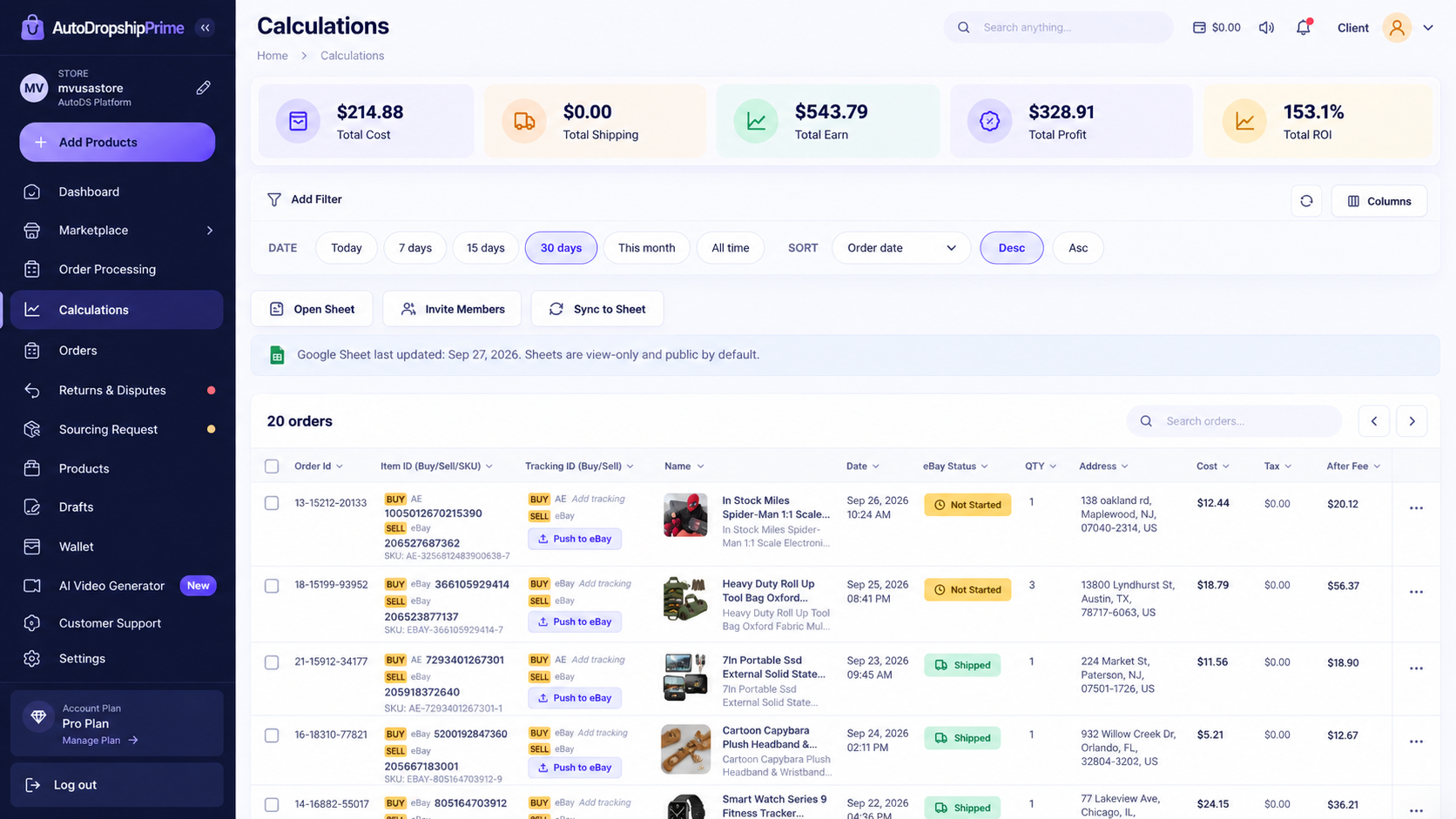
Start with the core workflow, then expand into monitoring, Sheets, wallet activity and analytics as your operation grows.